
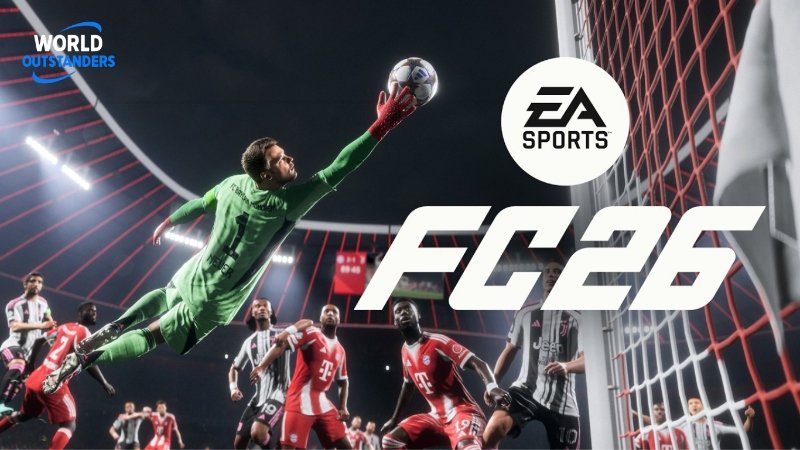
Considered one of the staples of sports gaming, EA Sports FC 26 lets you dive into football exactly the way you’d imagine. It has a plethora of features that make it feel like the real sport, and the ability to play with your friends makes things even better. This guide is here for all players, especially beginners, to help you understand the basics of this game. We will also take a look at the cross-play options, so let’s get to it.
Players interested in purchasing EA FC 26 coins can consider reputable platforms like U7BUY.
What is Ultimate Team?
This is the game mode that everyone likes to play in FC 26. Ultimate Team lets you build a squad just the way you want, letting you transfer your dream players and even managers into your own squad. It doesn’t end there, since the more you play, you’ll start to unlock power-ups and other accessories that can make the gameplay even better.
Ultimate Team is extremely competitive since everyone loves playing it; that’s why the game gives you multiple options so that you can fine-tune how your team plays.
Quick Start Guide: Building Your Team
If you’re new to this game mode, then the first thing you’ll need to start doing is earning coins. These coins will let you buy the players that you want and make your team stronger in general. So how do you earn coins?
Well, you can start with some Squad Battles. This is a simple game mode where you can play against AI opponents. This is a great mode for beginners, since you can practice as much as you want and gradually increase the AI’s difficulty until you learn the game’s basic mechanics. Every match will give you coins.
Another great method is Division Rivals. Now you can play against actual people online and test your skill level. This mode will give you more coins and even has weekly rewards.
Lastly, the FUT Champions game mode is the best way to earn coins, but it will definitely be very challenging.
Game Activities and Modes
Of course, FC 26 doesn’t just have Ultimate Team. You can also try out the various other game modes if you’re feeling bored. Here’s a quick breakdown:
- Career Mode: A very popular mode where you manage a club to its glory
- VOLTA Football: Extremely fun and fast-paced street football
- Pro Clubs: You can create your own player in this game mode
Understanding Meta Team Selection
In every version of the game, there are a few combinations of players and formations that work better than others. These are called meta team selections and are pretty important to know if you want to play online.
Priority Positions for Your Squad
Not all positions are equally important. Focus your coins on these key positions first:
| Position | Why It Matters | What to Look For |
| Center Backs | Stop through balls and fast attackers | High speed and defending stats |
| Holding Midfielder | Break up attacks and control midfield | Good defending and passing |
| Striker | Score goals and finish chances | Great shooting and speed |
| Wingers | Create chances and stretch defenses | Very fast with good dribbling |
Building by League and Nation
The easiest way to build a meta team is to focus on one or two popular leagues. This helps with chemistry and gives you more player options:
Best Starter Leagues:
- Premier League: Most players available, good for chemistry links
- La Liga: Strong Spanish and South American players
- Serie A: Good balance of quality and affordable prices
- Bundesliga: Fast players at reasonable prices
Start with players from the same league, then slowly add players from other leagues using strong links. Strong links come from matching both club and nation, or just matching the club.
Understanding Chemistry
Chemistry is the most important factor in Ultimate Team. When your chemistry is high, your players pass better, make smarter runs, and perform at their best level. The chemistry system works as follows:
- Maximum chemistry is 33 points
- Each player can give up to 3 chemistry points
- Links come from shared clubs, leagues, or country
- Try to get at least 30 out of 33 in chemistry for the best results
Use players from the same league in each part of your team.
Essential Tips for Beginners
Gameplay Settings and Controls
By default, FC 26 is designed to suit all players, but tweaking the settings can significantly improve your gameplay experience. Use Tele Broadcast or Co-Op camera angles with wider zoom so you can see passing lanes. Turn off as many auto helpers as you feel comfortable with. Start with some assistance for auto-switching and pass assists, then gradually reduce them as you improve.
Squad Building Challenges
Squad Building Challenges give you free packs and special players. Complete Foundation challenges first for easy rewards. Use cards you cannot sell that you do not need. Check the value of websites before submitting expensive players. Do Marquee Matchups every week for pack rewards.
Starting Nations
When you first open Ultimate Team, you will choose a starter nation. Pick Argentina or Brazil because these nations have deep player pools across many leagues and positions. This makes them highly valuable when building chemistry in the early challenges.
Crossplay and Account Information
Cross-Platform Availability
EA FC 26 supports crossplay, but only within the same console generation. This means:
Current Generation Pool:
- PlayStation 5
- Xbox Series X and S
- PC (Origin, Steam, Epic Games)
These platforms can all play together in online matches.
Previous Generation Pool:
- PlayStation 4
- Xbox One
These platforms can play together, but cannot match the current generation of players.
No Crossplay:
- Nintendo Switch and Nintendo Switch 2 do not support crossplay at all
Supported Game Modes for Crossplay
Crossplay is available in most online modes:
- Online Friendlies
- FUT Play A Friend
- FUT Online Friendlies
- Online Seasons
- FUT Rivals
- FUT Champions
- FUT Online Draft
- Pro Clubs
- Co-Op Season
- VOLTA Football
- Ultimate Team Co-Op
If you’re wondering if crossplay is turned on by default, yes, it is. If you want to turn it off, you can go to the Social settings from EA Connect, and then head to cross-play settings. From there, you can turn it on and off.
Account Migration and Cross-Progression
Sadly, cross progression isn’t the best in FC 26 for now. Here’s a quick look at what works and what doesn’t:
| Migration Type | Supported |
| PS4 to PS5 | Yes |
| Xbox One to Xbox Series X/S | Yes |
| PlayStation to Xbox | No |
| PlayStation to PC | No |
| Xbox to PC | No |
There are also several guidelines you need to follow when migrating your account from one console to another.
- You can only transfer from one console family to another, as you can see from the table above
- Migration is only possible through the game itself, and not through any websites
- Transferring points is irreversible
The good thing is that there are no such restrictions on cross-platform battles, and you can enjoy playing with your friends or other players, regardless of what console they are on. This applies to most of the game modes.

Malik Bilal is the Editor at World Outstanders. With 3+ years of experience in business and technology writing, he creates clear, research-driven content on business, tech, health, and lifestyle topics, always focused on accuracy, trust, and practical value.