
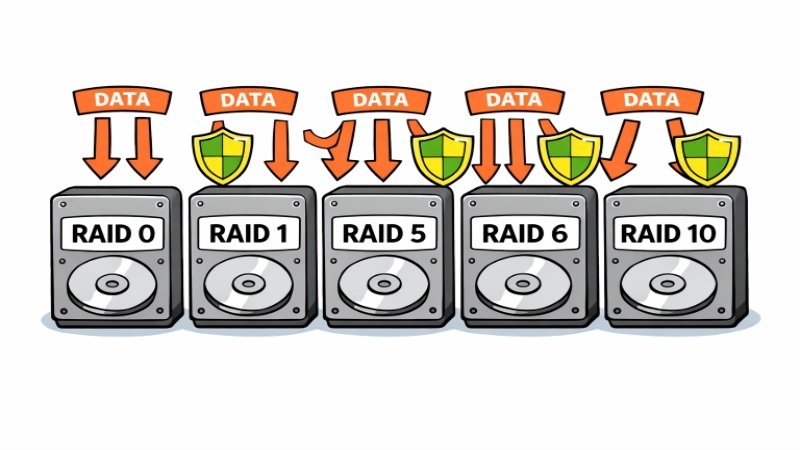
RAID (Redundant Array of Independent Disks) is a vital technology that consolidates multiple physical drives into a unified data storage solution. Using RAID helps businesses and individuals alike achieve improved performance and greater reliability for their valuable data. Across a range of industries, RAID protects data, ensuring uninterrupted operations even if hardware fails. Choosing the right setup from options like RAID 1, RAID 5, or RAID 10 is essential for matching your system’s needs with the right mix of performance and redundancy.
Each RAID level employs its own technique for balancing speed, data integrity, and storage efficiency. The level of protection and type of workload a storage system needs will determine which RAID configuration is most suitable. While some levels favor high performance over fault tolerance, others deliver robust protection for mission-critical environments. Understanding each option’s strengths and weaknesses is crucial for anyone managing important or sensitive information.
Since organizations depend on non-stop access to their data, investing in the optimal RAID configuration helps avoid costly downtime. From media production to cloud platforms, RAID technology underpins modern workflows by enabling systems to be more scalable, reliable, and efficient. As data volumes increase, the significance of RAID only continues to grow.
Given RAID’s pivotal role in storage infrastructure, staying current with advancements and best practices directly impacts a company’s information security and responsiveness. Whether for a home lab or an enterprise data center, selecting and managing RAID effectively is fundamental to any data strategy. For further reading on enterprise storage trends and their role in digital transformation, visit Nfina’s overview of RAID storage.
Key Takeaways
- RAID configurations enhance data redundancy and performance.
- Each RAID level offers distinct advantages and trade-offs.
- Understanding RAID is crucial for optimal data storage solutions.
RAID 0: Striping
RAID 0 uses a method called striping, where data is split into blocks and written evenly across two or more drives without any redundancy. This results in high-speed performance and complete utilization of available disk space. However, if any single disk in the array fails, all data is lost, as there is no backup or parity data to rely on. Thanks to its speed advantage, RAID 0 appeals to those dealing with large files, such as video editing or gaming, where performance takes precedence over durability. Care should be taken to regularly back up crucial data stored on RAID 0 arrays.
RAID 1: Mirroring
By contrast, RAID 1 uses data mirroring, writing identical data to two separate drives simultaneously. If one drive fails, the system can continue operating seamlessly using the remaining drive, ensuring uninterrupted access to critical data and minimizing downtime. However, this redundancy comes at the cost of storage efficiency, as only 50% of the total capacity is usable while the other half is reserved for an exact copy. Due to its simplicity and strong fault tolerance, RAID 1 is commonly used for financial records, operating systems, and mission-critical environments where reliability is more important than storage capacity.
RAID 5: Distributed Parity
RAID 5 offers a more efficient approach using striping with distributed parity, requiring a minimum of three drives. In this setup, parity information, essentially an error-correcting code, is spread across all disks. If one disk fails, RAID controllers can reconstruct the lost data using parity calculations. This configuration delivers strong read performance, adequate fault tolerance, and better overall storage utilization than mirroring. However, rebuilding large, modern drives can strain the array and increase its vulnerability if another failure occurs during this time. For a detailed technical breakdown, check out Nfina’s RAID storage resource.
RAID 6: Dual Parity
Building on RAID 5, RAID 6 introduces a second layer of parity. This means the system can withstand two simultaneous disk failures without data loss, providing an extra level of protection. While RAID 6 offers even greater fault tolerance, it does so at the expense of reduced write speeds and further reduced storage efficiency due to the extra parity overhead. Businesses handling vast amounts of critical information, such as large databases or archival storage, often choose RAID 6 to protect against cascading failures during disk rebuilds.
RAID 10: Mirrored Stripes
RAID 10, sometimes called RAID 1+0, combines the speed benefits of striping with the redundancy of mirroring. This is achieved by mirroring each pair of disks for redundancy, then distributing data across these mirrored pairs. As a result, RAID 10 provides fast data access and rebuild times while still safeguarding against drive failures. With a minimum requirement of 4 disks, this level is particularly well-suited to high-transaction environments, such as database servers, where both performance and continuous uptime are paramount. Users should note, however, that only half of the total storage capacity is usable.
Choosing the Right RAID Level
Deciding on the best RAID level involves weighing several factors, including the value of data, desired read and write speeds, storage capacity, and budget. For pure speed without redundancy, RAID 0 is attractive but risky. RAID 1 and RAID 10 address those risks by focusing on safety and continuity, while RAID 5 and RAID 6 strive for a middle ground, offering suitable backup options without sacrificing too much speed or space. For organizations with strict uptime and security requirements, more advanced RAID configurations, such as RAID 10 or RAID 6, often justify their higher hardware costs with superior protection and recovery capabilities.
Conclusion
A comprehensive understanding of RAID levels is essential for designing storage systems that effectively support both present workloads and future scalability needs. By carefully assessing the strengths and trade-offs of each RAID configuration, IT administrators can implement solutions that balance cost efficiency, performance, and data reliability. Some RAID levels prioritize speed, while others emphasize redundancy and fault tolerance, or a combination of both to achieve balanced performance. Choosing the appropriate RAID strategy helps ensure critical data remains protected, consistently accessible, and able to support the increasing demands of modern digital environments and enterprise operations over time.

Malik Bilal is the Editor at World Outstanders. With 3+ years of experience in business and technology writing, he creates clear, research-driven content on business, tech, health, and lifestyle topics, always focused on accuracy, trust, and practical value.